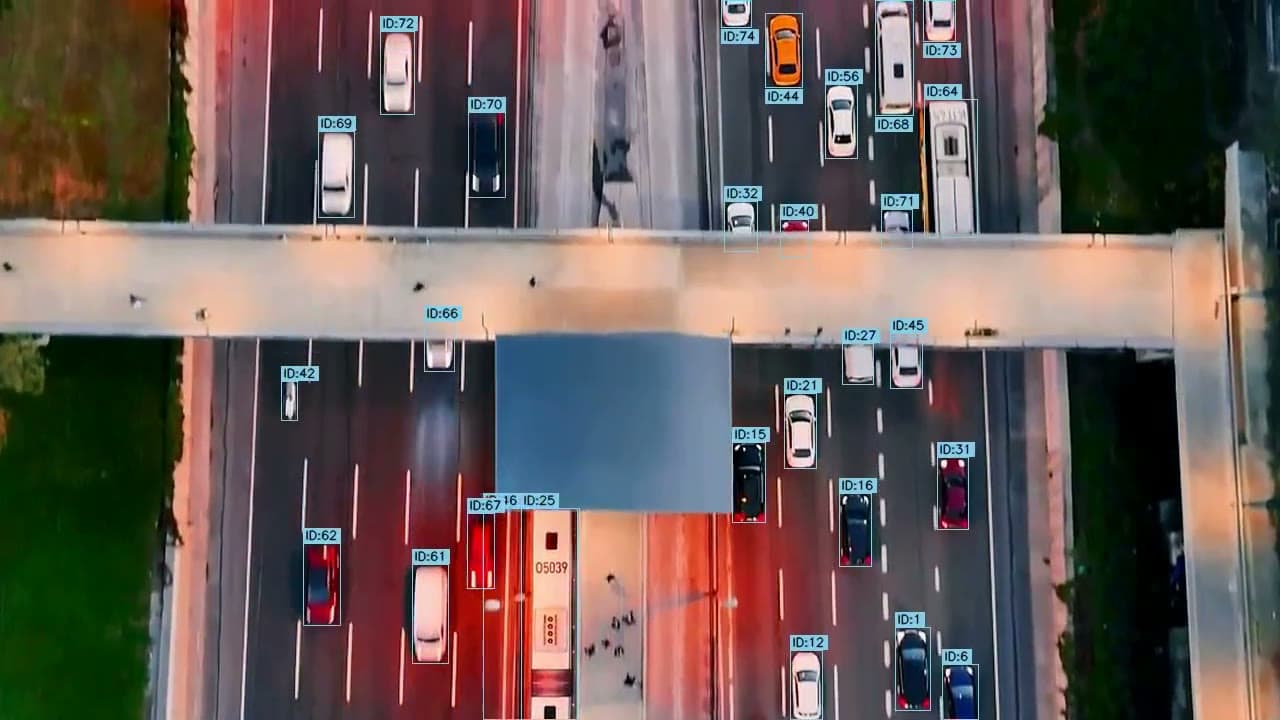
A traffic count records the vehicles that pass a location during a period, split by class and by movement. At an intersection it is called a turning movement count, and it is the starting point of almost every traffic study: without those numbers you cannot time a signal, assess the impact of a new development or justify changing a street.
At the end of this guide you can download an Excel template that does the math for you.
What a traffic count records
Three things define a count: vehicle classes, movements and periods.
- Vehicle classes. A common split is cars, buses, two-axle trucks, trucks with three or more axles, motorcycles and bikes. Some studies ask for more detail, such as the 13 vehicle categories used by the FHWA, and many add pedestrians.
- Movements. Knowing how many vehicles enter on each approach is not enough. You need to know where they go: left, through or right. Each pair of approach and exit is a movement, so a four-leg intersection has twelve.
- Periods. You count the hours that matter for the study, usually the morning and evening peaks of a typical weekday.
The format: 15-minute intervals
Counts are recorded in 15-minute intervals, by movement and by vehicle class. That level of detail lets you find the peak hour and see how traffic changes within it. An example for one movement:
| From | To | Cars | Buses | 2-axle trucks | 3+ axle trucks | Motorcycles | Bikes | Total |
|---|---|---|---|---|---|---|---|---|
| 7:00 | 7:15 | 98 | 4 | 3 | 1 | 9 | 5 | 120 |
| 7:15 | 7:30 | 112 | 5 | 4 | 1 | 8 | 5 | 135 |
| 7:30 | 7:45 | 124 | 6 | 5 | 2 | 9 | 4 | 150 |
| 7:45 | 8:00 | 116 | 5 | 4 | 2 | 8 | 5 | 140 |
Sample values, not from a real study.
Peak hour and peak hour factor
The peak hour is the hour with the most vehicles. You find it by adding four consecutive 15-minute intervals and keeping the highest sum. In the example, from 7:00 to 8:00 there are 120 + 135 + 150 + 140 = 545 vehicles.
The peak hour factor (PHF), as defined in the Highway Capacity Manual, measures how even that hour is. Divide the hourly volume by four times the busiest 15-minute interval:
A PHF close to 1 means traffic was steady through the hour. A lower value means a peak packed into a few minutes, typical of school drop-off or a factory shift change.
Many studies also ask for volumes in passenger car equivalents (PCE), which weight each class by how much of the road it takes up: a bus counts for more than a car. The factors depend on the manual your study follows, so check which one applies.
How to do a turning movement count, step by step
- Define the scope. Locations, days, periods, vehicle classes and whether you need pedestrians and bikes. If an agency requested the study, its requirements come first.
- Choose the method. Counters in the field, tubes or video. Tubes alone cannot give you turning movements.
- Set up. For a manual count, assign movements to each counter and prepare one sheet per movement. For video, place the camera high enough to see every approach without vehicles hiding each other.
- Count in 15-minute intervals. Record each class separately and note anything unusual, such as a crash, roadwork or a signal outage.
- Find the peak hour and its PHF. For each movement and for the intersection as a whole.
- Check and report. Compare entering and exiting totals, look for intervals that do not make sense, and deliver the tables with the peak hour, PHF and volumes by movement.
Counting methods compared
| Method | How it works | Pros | Cons |
|---|---|---|---|
| Manual in the field | Counters with tally sheets, hand counters or an electronic count board | Records turns and vehicle classes with no equipment to install | Every counted hour costs the same; fatigue and data entry errors |
| Pneumatic tubes | Hoses across the road that record axles passing over them | Covers many days in a row, with volume, speed and axle class | No turning movements; damaged by heavy traffic |
| Video | A fixed camera or drone, counted later in the office or by software | Can be reviewed and recounted; fast with software | Needs a shot that sees the whole intersection |
Free traffic count template in Excel
The template uses 15-minute intervals from 7:00 to 20:00. It calculates the total per interval, the PCE volume, the rolling hourly volume, the peak hour and its PHF. Use one copy of the count sheet per movement.
Download the traffic count template (Excel)
How to automate traffic counts with video
Manual counting has a built-in limit: every counted hour costs the same, so studies count as little as they can. With video you record once and count afterwards. When software does the counting, the office work goes away too.
- Record the location with a high camera or a drone, covering every approach.
- Upload the video to YOAO and draw the approaches and movements on a frame.
- YOAO detects, classifies and tracks each vehicle, and returns the count by movement and class in 15-minute intervals, with the peak hour and an annotated video to audit.
- Validate the first location with a short manual count. If the difference is acceptable, the method is ready for the rest.
Analysis costs USD 7 per hour of video. To compare that with what a manual count costs you, try the traffic count cost calculator.
Count from video instead of tally sheets
Upload a video and get counts by movement and vehicle class. No monthly fee and no minimum spend.
Create your account